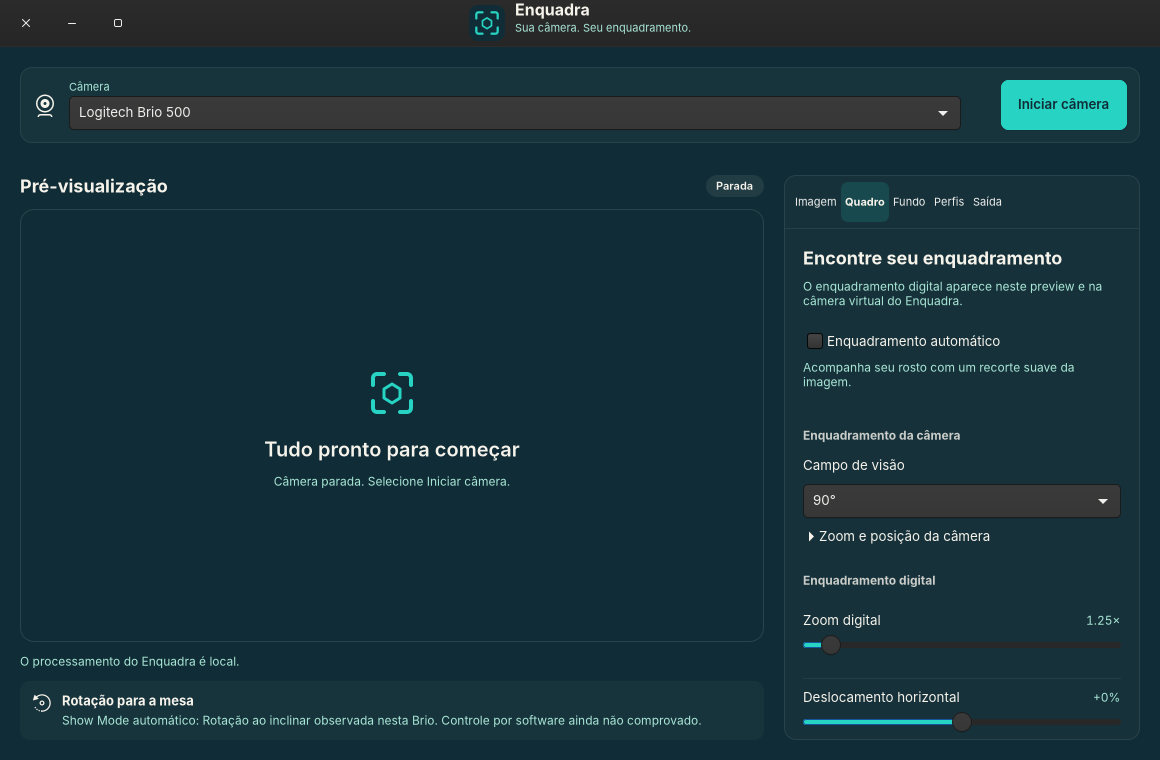
Find your frame
Choose a 65°, 78° or 90° field of view on the Brio 500. Adjust digital zoom, crop, position and mirroring — or let local automatic framing follow your face.

Your camera on Linux. Your way.
Adjust the image, find your place in the frame and choose a background. Enquadra gives your Brio 500 a space of its own on Linux.
Alpha 0.1.0-alpha.1 · .deb package · work in progress



Original scene: the room and a wide frame.
Visual demonstration — does not access your camera.
A FRAME OF YOUR OWN
From the camera image to the output for your calls: adjustments brought together in a GTK application, made for Linux.
Choose a 65°, 78° or 90° field of view on the Brio 500. Adjust digital zoom, crop, position and mirroring — or let local automatic framing follow your face.
Blur the room or use a PNG or JPEG as your background. Segmentation happens on this computer. Your video is never sent to a processing service.
Save your settings in profiles and send the image to a virtual camera with v4l2loopback. Select that output in applications that support V4L2 cameras.
YOUR COMPUTER IS THE STUDIO
Enquadra processes framing and backgrounds locally. Your chosen meeting application controls video transmission. This website has no analytics, tracking or access to your camera.
START ON LINUX
This is an alpha release. Features and compatibility are still evolving. Read the instructions before using it on an important call.
Download for LinuxHardware validated: Brio 500 (046d:0943), Ubuntu 26.04.1.
Ubuntu 24.04 is a candidate, without hardware validation.
Download the .deb and compare its SHA-256 checksum against the file from the same release.
Download SHA256SUMS ↓In the directory where you saved the package, run:
sudo apt install ./enquadra_0.1.0.alpha1_all.debSelect your camera and start the preview. To use the output in calls, configure v4l2loopback by following the guide; this step requires administrator authentication.
Read the installation and virtual camera guide ↗Secure Boot may require signing and enrolling the module. Virtual camera setup is an explicit step; installing the package does not guarantee an active module.
BEFORE YOUR FIRST CALL
Hardware validation was performed with the Logitech Brio 500 (046d:0943). Other V4L2 cameras may expose different controls and are not promised compatible yet. Ubuntu 24.04 also awaits hardware validation.
Enquadra automatic framing runs in local software, using face detection and digital cropping. It is not the camera’s native RightSight. HDR and proprietary controls are not provided.
Automatic rotation when tilting the Brio was observed by the user as firmware behavior. Enquadra does not offer a proprietary control to turn Show Mode on or off.
It makes the cropped image and selected background available to other applications. Output uses v4l2loopback, a kernel module that needs configuration. Your calling application must accept the V4L2 camera and may require its own permission.
This release is still in development and may have bugs or behavioral changes. Validation is limited to the hardware and system listed here. Check the release notes and report issues in the repository.
Try it, read the code, help build it.